
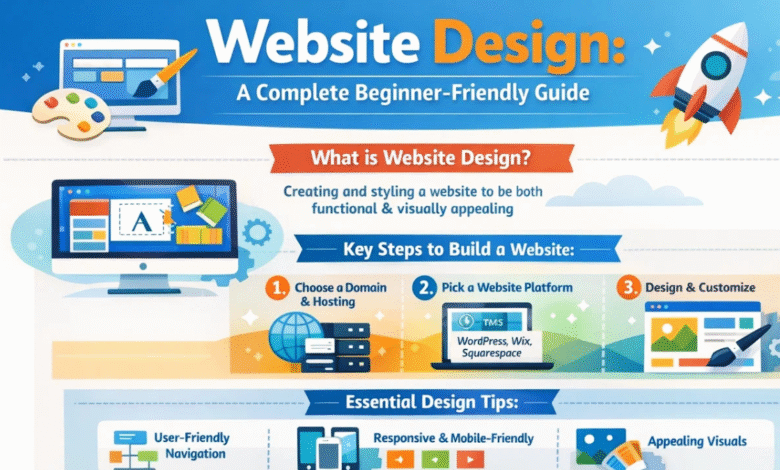
Website Design: A Complete Beginner-Friendly Guide
Website design is an important skill in today’s digital world. Almost every business, school, and organization needs a website to connect with people online. A well-planned website design helps visitors find information easily, enjoy their browsing experience, and trust the brand behind the website.
In simple terms, website design is the process of planning and creating the layout, look, and user experience of a website. It includes colors, fonts, images, structure, and how pages connect with each other. Good website design is not only about beauty—it also focuses on usability, speed, and accessibility.
In this complete guide, you will learn everything about website design, including its meaning, importance, elements, types, tools, and best practices. Whether you are a beginner, a student, or someone who wants to build a website, this guide will help you understand the basics in a simple and clear way.
What Is Website Design?
Website design refers to the process of creating the visual layout and user experience of a website. It combines creativity with technology to build web pages that are attractive, functional, and easy to use.
Website design includes many elements such as:
- Layout and structure
- Colors and typography
- Images and graphics
- Navigation menus
- Buttons and links
- Content arrangement
The main goal of website design is to create a website that looks good and works smoothly for visitors.
For example, when you visit an online store, you can easily find products, read descriptions, and make purchases. This smooth experience is the result of thoughtful website design.
Why Website Design Is Important
A strong website design plays a big role in the success of any website. Visitors often judge a website within a few seconds. If the design looks confusing or outdated, they may leave quickly.
Here are some key reasons why website design matters:
Creates a Good First Impression
People form opinions quickly. A modern and clean website design builds trust and makes visitors feel comfortable.
Improves User Experience
Good design helps users navigate the website easily. When visitors find information quickly, they are more likely to stay longer.
Builds Brand Identity
Colors, logos, fonts, and style help represent a brand. Consistent website design helps people remember the brand.
Helps With Search Engine Ranking
Search engines prefer websites that load quickly, are mobile-friendly, and have organized content.
Increases Conversions
When a website is easy to use, visitors are more likely to sign up, buy products, or contact the company.
Main Elements of Website Design
A successful website design includes several important elements working together.
Layout
The layout is the structure of a web page. It decides where content, images, and menus appear.
Common layout types include:
- Grid layout
- Single-column layout
- Multi-column layout
- Full-screen layout
Color Scheme
Colors influence emotions and branding. Choosing the right color combination is important for a balanced website design.
For example:
- Blue often represents trust and professionalism
- Green suggests growth and nature
- Red attracts attention and energy
Typography
Typography refers to the fonts used on a website. Good typography improves readability.
Tips for good typography:
- Use simple and clear fonts
- Maintain consistent font styles
- Avoid using too many fonts
Images and Graphics
Images help make content engaging and easier to understand. High-quality visuals improve website design and capture attention.
Navigation
Navigation allows users to move between pages easily. A clear navigation menu helps visitors find what they need quickly.
Content
Content includes text, images, videos, and other information on a website. Good content supports the overall website design.
Types of Website Design
Different websites serve different purposes, so there are several types of website design.
Static Website Design
A static website shows the same content to every visitor.
Features:
- Simple structure
- Fast loading speed
- Easy to create
These websites are often used for small businesses or personal portfolios.
Dynamic Website Design
Dynamic websites change content based on user actions.
Examples include:
- Social media platforms
- Online stores
- News websites
Dynamic websites often use databases and programming languages.
Responsive Website Design
Responsive website design allows websites to adjust automatically to different screen sizes.
For example:
- Mobile phones
- Tablets
- Desktop computers
Responsive design is very important today because many people browse the internet on their phones.
Adaptive Website Design
Adaptive design uses different layouts for different devices. It detects the device and loads the appropriate design.
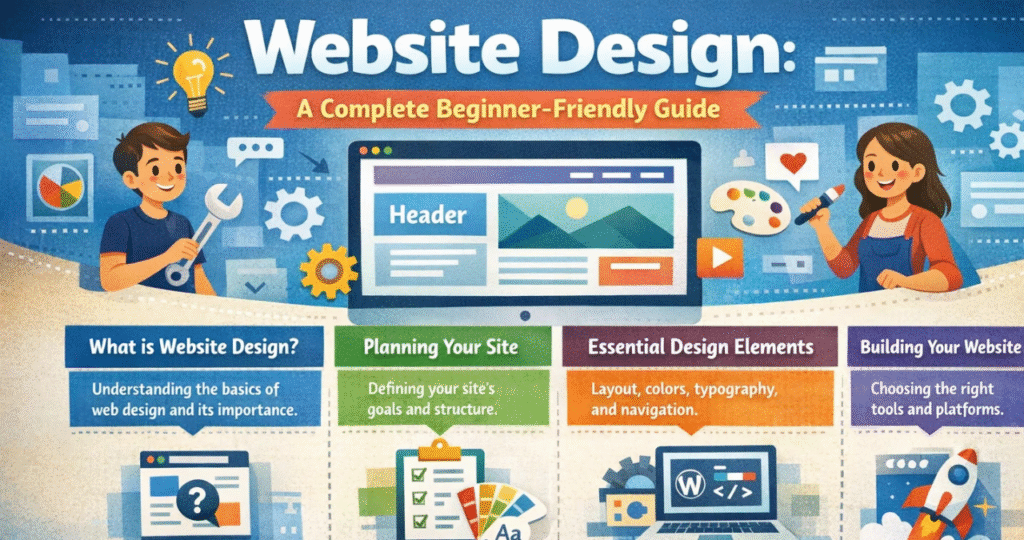
Steps in the Website Design Process
Designing a website involves several stages. Each step helps ensure the final result is effective and user-friendly.
Planning
The first step is planning.
This includes:
- Understanding the purpose of the website
- Identifying the target audience
- Creating a content plan
Wireframing
Wireframes are simple sketches that show the layout of a website. They help designers plan where elements will appear.
Designing
During this stage, designers add colors, images, typography, and branding elements.
Development
Developers turn the design into a functional website using coding languages.
Testing
Before launching the website, it must be tested for:
- Broken links
- Slow loading pages
- Mobile compatibility
Launch
Once everything works correctly, the website is published online.
Popular Tools Used in Website Design
Modern website design uses many tools that help designers work faster and more efficiently.
Here are some popular tools:
- Design tools – Used for creating layouts and graphics
- Wireframing tools – Used for planning structure
- Content management systems – Used to manage website content
- Code editors – Used for writing website code
These tools make the design process smoother and help designers build professional websites.
Website Design Best Practices
Creating a successful website design requires following certain best practices.
Keep the Design Simple
Simple designs are easier to understand and navigate.
Make It Mobile-Friendly
Many people use smartphones to browse websites. A responsive design ensures a good experience on all devices.
Use Clear Navigation
Menus should be simple and easy to follow.
Improve Page Speed
Slow websites can frustrate visitors. Optimizing images and reducing unnecessary elements can improve speed.
Maintain Consistency
Using the same colors, fonts, and layout throughout the website creates a professional appearance.
Use High-Quality Content
Helpful and well-written content improves user engagement.
Website Design vs Web Development
Many people confuse website design with web development, but they are different roles.
| Feature | Website Design | Web Development |
|---|---|---|
| Focus | Visual appearance and user experience | Functionality and coding |
| Skills | Creativity, design tools | Programming languages |
| Goal | Make the website attractive and easy to use | Make the website work smoothly |
| Tools | Design software | Code editors and frameworks |
Both designers and developers work together to create successful websites.
Common Website Design Mistakes to Avoid
Even experienced designers can make mistakes. Avoiding these errors helps improve website performance.
Too Much Clutter
Overloading a page with text, images, and ads can confuse visitors.
Poor Navigation
If users cannot find information easily, they may leave the website.
Slow Loading Speed
Large images and heavy files can slow down a website.
Not Mobile Friendly
Websites that do not work well on phones lose many potential visitors.
Inconsistent Design
Using different colors and fonts on each page creates an unprofessional appearance.
Future Trends in Website Design
Technology is always evolving, and website design continues to change. New trends help improve user experience and make websites more interactive.
Some emerging trends include:
Dark Mode Design
Many websites now offer dark themes to reduce eye strain.
Minimalist Design
Minimal designs focus on simplicity and clean layouts.
AI-Powered Personalization
Artificial intelligence can personalize website content based on user behavior.
Micro Animations
Small animations make websites more engaging and interactive.
Voice Search Optimization
More users are searching using voice assistants, so websites are adapting to support voice commands.
Skills Needed to Learn Website Desgn
If you want to become a website designer, you should develop certain skills.
Important skills include:
- Creativity and visual thinking
- Basic knowledge of HTML and CSS
- Understanding user experience
- Communication skills
- Problem-solving ability
Learning these skills can help you build beautiful and functional websites.
Tips for Beginners in Website Design
Starting your journey in website design can feel overwhelming, but with the right approach, it becomes easier.
Here are some beginner-friendly tips:
- Study successful websites for inspiration
- Practice designing simple layouts
- Learn basic design principles
- Focus on user experience
- Keep learning new tools and techniques
Remember, great designers improve with practice and experience.
Final Thoughts on Website Design
In the modern digital world, website design plays a powerful role in communication, business growth, and online presence. A well-designed website can attract visitors, build trust, and deliver valuable information effectively.
From layout and colors to navigation and content, every element contributes to the success of a website. By understanding the principles, tools, and best practices of website design, anyone can create websites that are both beautiful and functional.
As technology continues to grow, the importance of website design will only increase. Learning this skill today can open many opportunities in the future. Whether you want to start a blog, build a business site, or become a professional designer, mastering website design is a valuable step toward success.